
Download Shuttle Shuffle – free puzzle game for Windows, Mac, Android, iOS
Introduction: Why Shuttle Shuffle Stands Out in the Mobile Puzzle Market
In a sea of endless match‑three titles and endless‑runner distractions, Shuttle Shuffle arrives as a breath of fresh, cerebral air. Developed by a small indie studio that clearly loves both logic puzzles and charming extraterrestrials, this game blends simple swipe controls with a depth of strategy that rivals classic desktop brainteasers. From the moment you tap “Play,” the game greets you with a grid filled with cute, gelatinous aliens, each waiting to board a shuttle of matching color. The premise sounds straightforward, yet the design quickly reveals layers of complexity that keep even seasoned puzzlers on their toes.
What makes Shuttle Shuffle particularly appealing is its focus on forward planning and spatial awareness. Each level hands you a strict move limit, turning every swipe into a calculated decision. You’ll find yourself weighing the immediate benefit of moving a single alien against the long‑term advantage of setting up a chain reaction that clears an entire row or column. The game’s difficulty curve is expertly tuned: early stages act as a tutorial, while later stages—especially after stage ten—demand you think several moves ahead, sometimes even forcing you to move an alien away from its destination before guiding it back in a more efficient path.
Beyond the gameplay, Shuttle Shuffle shines with its minimalist UI and intuitive touch controls. Horizontal and vertical swipes are instantly recognized, and the game highlights the line you’re about to shift, reducing the risk of accidental moves on larger grids. This combination of clean design, rewarding challenge, and a charming aesthetic makes Shuttle Shuffle a must‑download for anyone who enjoys a good mental workout on their phone, tablet, or desktop.
Game Overview & Core Features
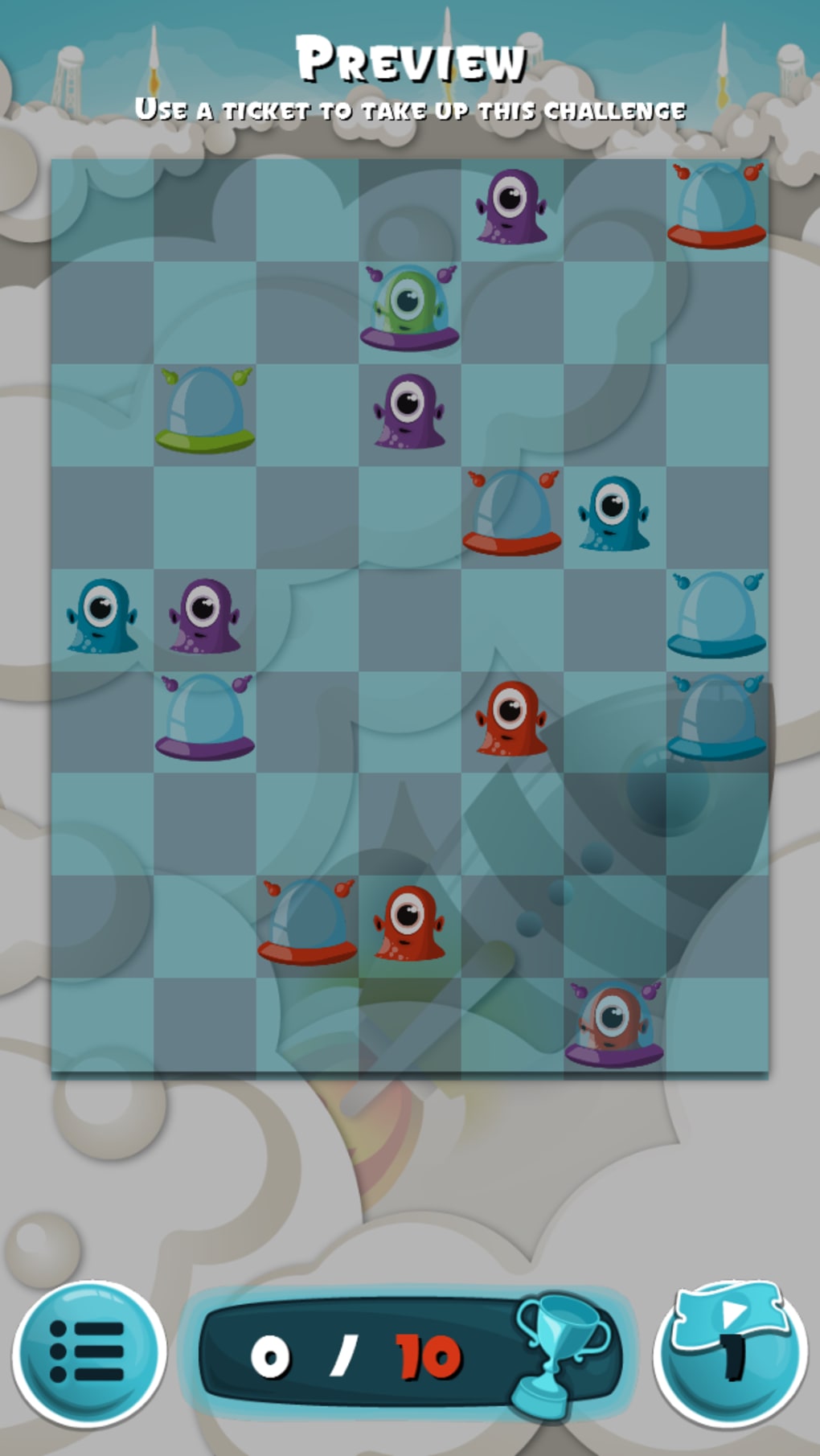
Shuttle Shuffle is a puzzle adventure that tasks players with guiding colored alien blobs to their matching shuttles across a grid. Each level presents a unique arrangement of aliens and a limited number of moves, pushing you to devise the most efficient route. The game’s difficulty escalates by introducing mechanics such as moving entire rows or columns simultaneously, forcing you to think in terms of groups rather than single pieces. The challenge is not merely to complete a level, but to do so within the move budget, unlocking new stages and bonus content as you progress.
Key Features
- Intuitive swipe‑based controls for both horizontal and vertical movement.
- Color‑matching mechanic: each alien can only board a shuttle of its own hue.
- Group movement system: shift whole rows or columns in a single swipe.
- Move‑limit scoring: achieve perfect scores by completing levels within a set number of moves.
- Multiple game modes, including a robust Challenge mode with extra‑hard puzzles.
- Built‑in puzzle editor that lets players design and share custom levels.
- Cartoon‑style graphics with bold colors that remain clear on small screens.
- Soft background music that stays unobtrusive during intense thinking sessions.
Beyond these core elements, Shuttle Shuffle offers a progression system that rewards strategic mastery. As you unlock later stages, the grids become larger and the move limits tighter, making every decision feel significant. The optional Challenge mode pushes the difficulty even further, presenting puzzles that require multiple layers of planning and occasional counter‑intuitive moves—like moving an alien away from its shuttle to set up a chain reaction that ultimately saves moves.
Installation, Usage & Compatibility
Getting started with Shuttle Shuffle is a breeze, regardless of your device. The game is available for free on the major platforms, and the download process follows the standard procedures for each operating system.
How to Install
- Visit the official website or your platform’s app store (Google Play, Apple App Store, Microsoft Store, or Mac App Store).
- Search for “Shuttle Shuffle” and click the “Install” or “Get” button.
- Allow the download to complete; the app size is under 150 MB, making it suitable for most devices.
- Once installed, launch the game from your home screen or applications folder.
- The first run will prompt you to grant permission for storage access, which the game uses to save your progress and custom levels.
Basic Gameplay Instructions
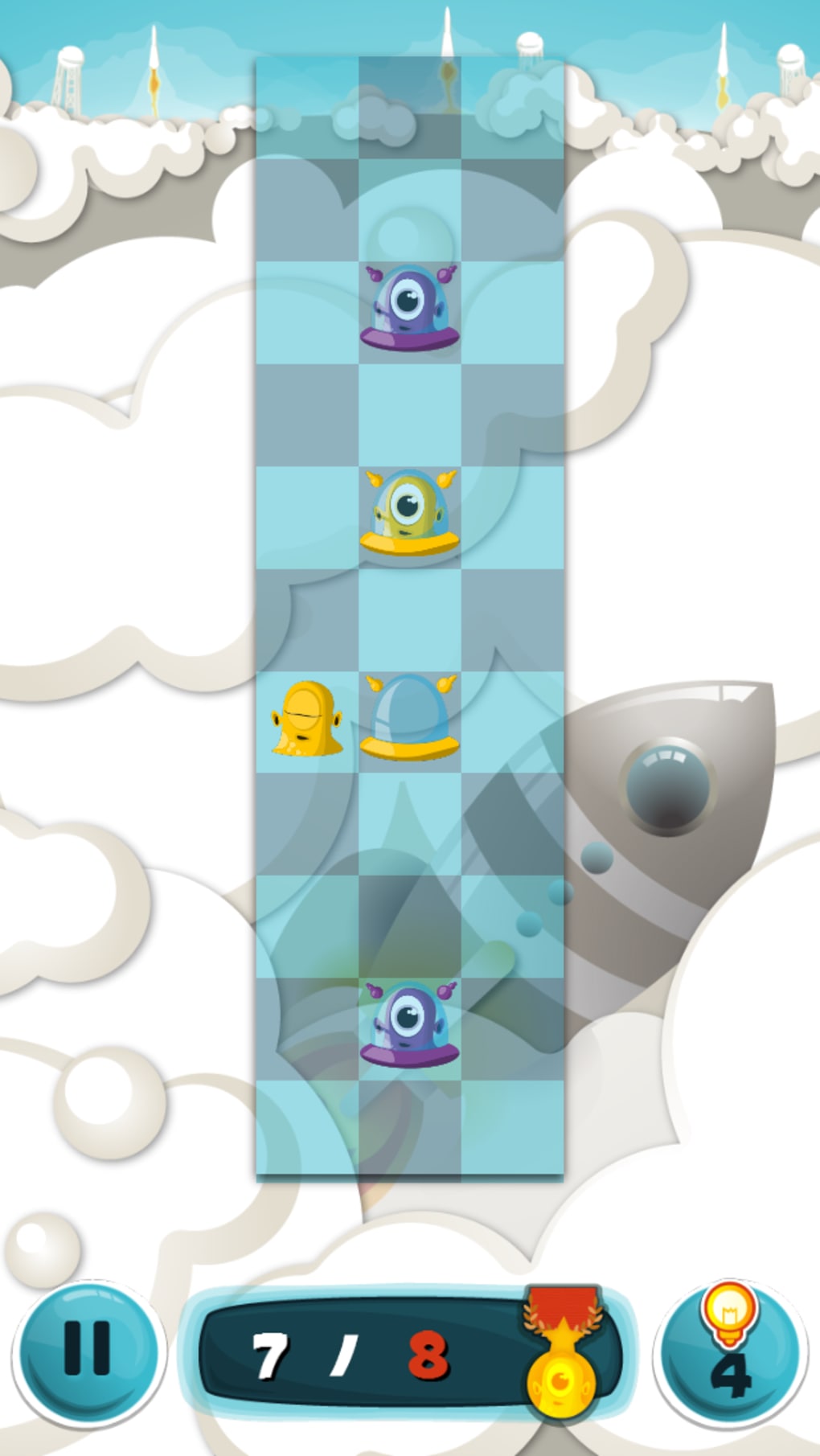
After launching, you’ll be greeted with a brief tutorial that demonstrates the swipe mechanics. To move a line of aliens, simply swipe in the direction you wish the line to travel. The game will highlight the affected row or column before you confirm the move, giving you a visual cue to avoid mistakes. Each level displays the move limit at the top of the screen, and a progress bar indicates how many aliens have successfully boarded their shuttles.
For players who enjoy creating their own puzzles, the built‑in editor can be accessed from the main menu. Here you can place aliens, set shuttle colors, and define the move limit, then share the level via a unique code or link.
Supported Operating Systems
Shuttle Shuffle runs on the following platforms:
- Windows 10 and later (via Microsoft Store)
- macOS 11 (Big Sur) and later (via Mac App Store)
- Android 6.0 (Marshmallow) and above
- iOS 13 and later (iPhone & iPad)
The game is optimized for both phones and tablets, with responsive UI scaling that ensures the grid remains readable even on smaller screens. Cloud sync is available for players who log in with a free account, allowing you to continue your progress across multiple devices.
Pros, Cons, Frequently Asked Questions & Final Thoughts
Pros
- Deep strategic gameplay that rewards careful planning.
- Simple, responsive swipe controls suitable for all ages.
- Free to download with no intrusive ads.
- Challenge mode and level editor add endless replayability.
- Clear visual design that keeps focus on the puzzle itself.
Cons
- Static sprite animation may feel bland for players seeking high‑end graphics.
- Background music is pleasant but lacks memorable themes.
- Higher difficulty spikes can be frustrating for casual gamers.
FAQ
Is Shuttle Shuffle truly free or are there hidden in‑app purchases?
The core game, including all main campaign levels, is completely free. Optional cosmetic packs and extra puzzle packs can be purchased, but they do not affect gameplay or give any advantage.
Can I play Shuttle Shuffle offline?
Yes. Once the app is installed, all campaign levels and the puzzle editor are available offline. Cloud sync and downloading additional content require an internet connection.
How does the level editor share custom puzzles?
After creating a puzzle, you can generate a unique code or a shareable link. Friends can enter the code or click the link to load the custom level directly in their game.
Is there a way to reset a level if I make a mistake?
Yes. A “Reset” button appears at the bottom of the screen during gameplay, allowing you to start the current level over without losing progress on other stages.
What age group is Shuttle Shuffle best suited for?
While the cute visuals appeal to younger players, the strategic depth makes it enjoyable for adults and puzzle enthusiasts of all ages.
Conclusion & Call to Action
Shuttle Shuffle delivers a cleverly designed puzzle experience that balances accessibility with deep strategic layers. Its free price tag, smooth controls, and robust level editor make it a standout title in the mobile puzzle genre. If you love games that challenge your brain while offering a charming, stress‑free aesthetic, you’ll find plenty to love here. Download Shuttle Shuffle today, master the art of alien logistics, and start creating your own mind‑bending puzzles for friends to solve.
Ready to test your spatial reasoning? Click here to download Shuttle Shuffle now and embark on a colorful journey across the grid.



.png)



